How To Claim Withdrawals On-chain

You can claim withdrawals from Enjoyoors independently of the frontend application. If you feel the claim process in our app is congested, please follow this step-by-step guide to proceed. Here you go:
The on-chain token claiming process is carried out in two stages: submitting a withdrawal request and processing the actual claim. You can find more details at the following link - https://docs.enjoyoors.xyz/integration-guide/vault.
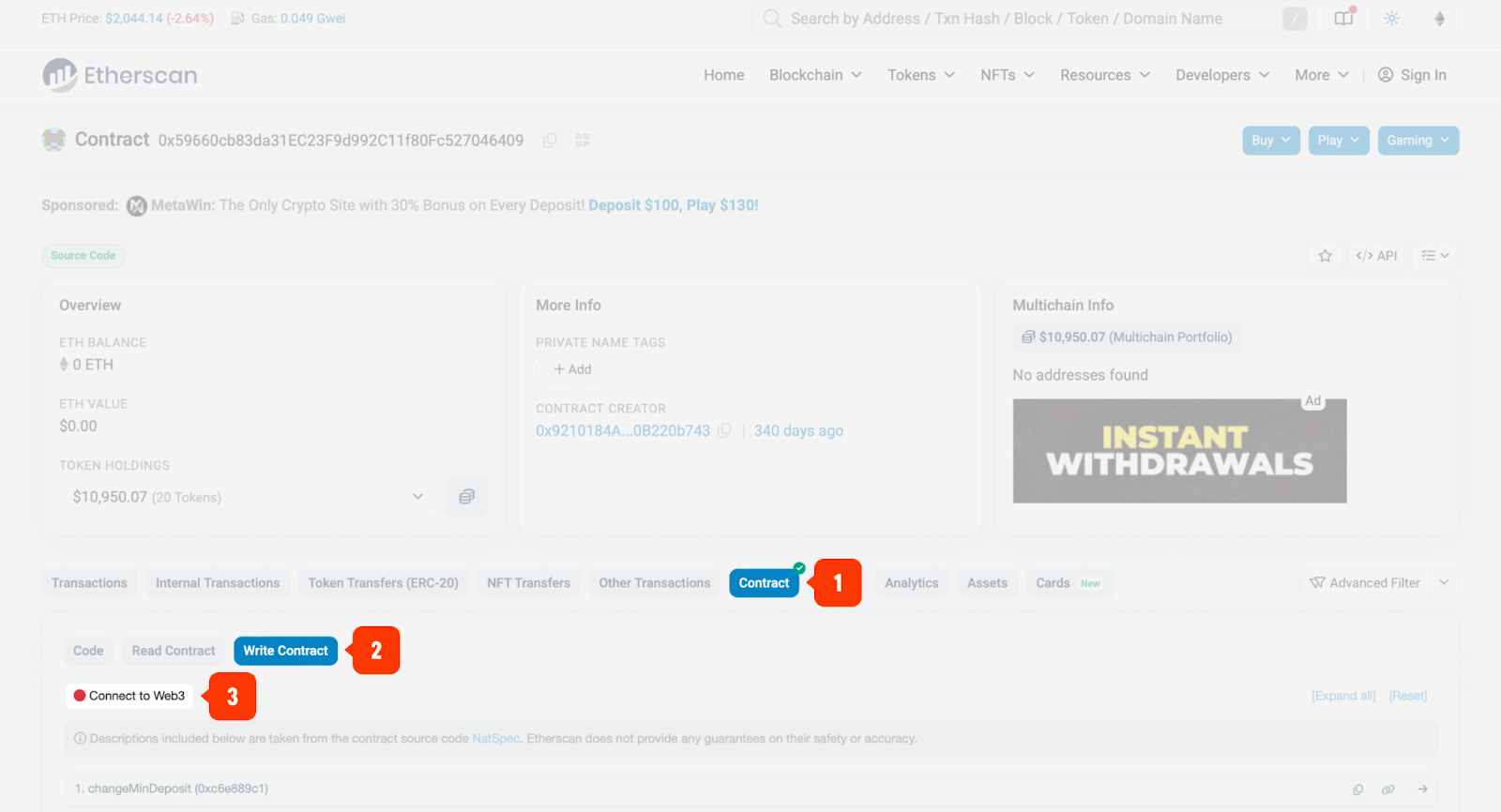
1. Open the block explorer for the corresponding network and navigate to the Vault contract (it is verified). Go to the Contract tab, then to Write Contract, and connect the wallet that previously interacted with the Enjoyoors protocol.
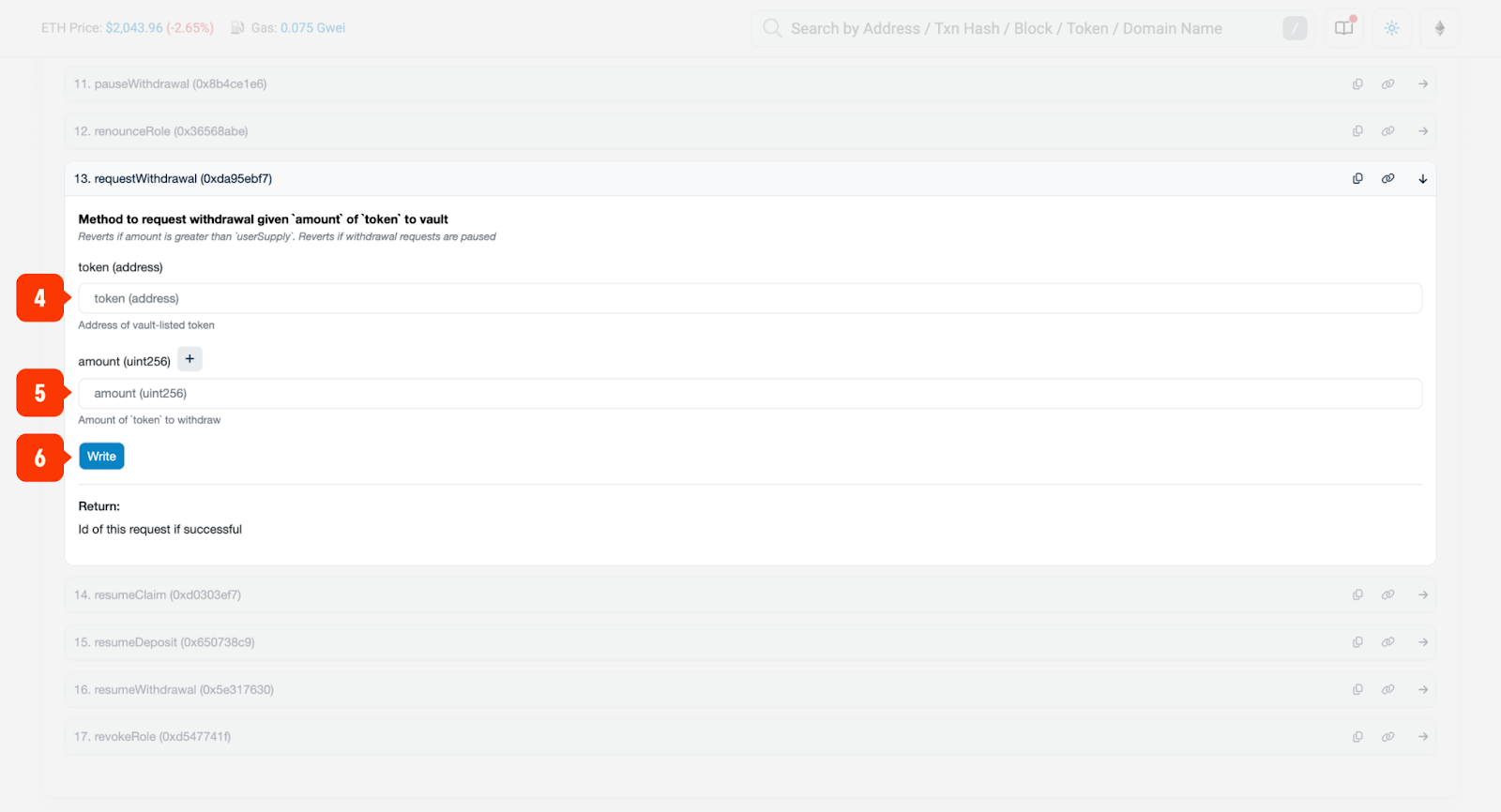
2. If you have made a deposit before, you can request a withdrawal using the requestWithdrawal method. Enter the token address and amount, click Write, and sign the transaction.
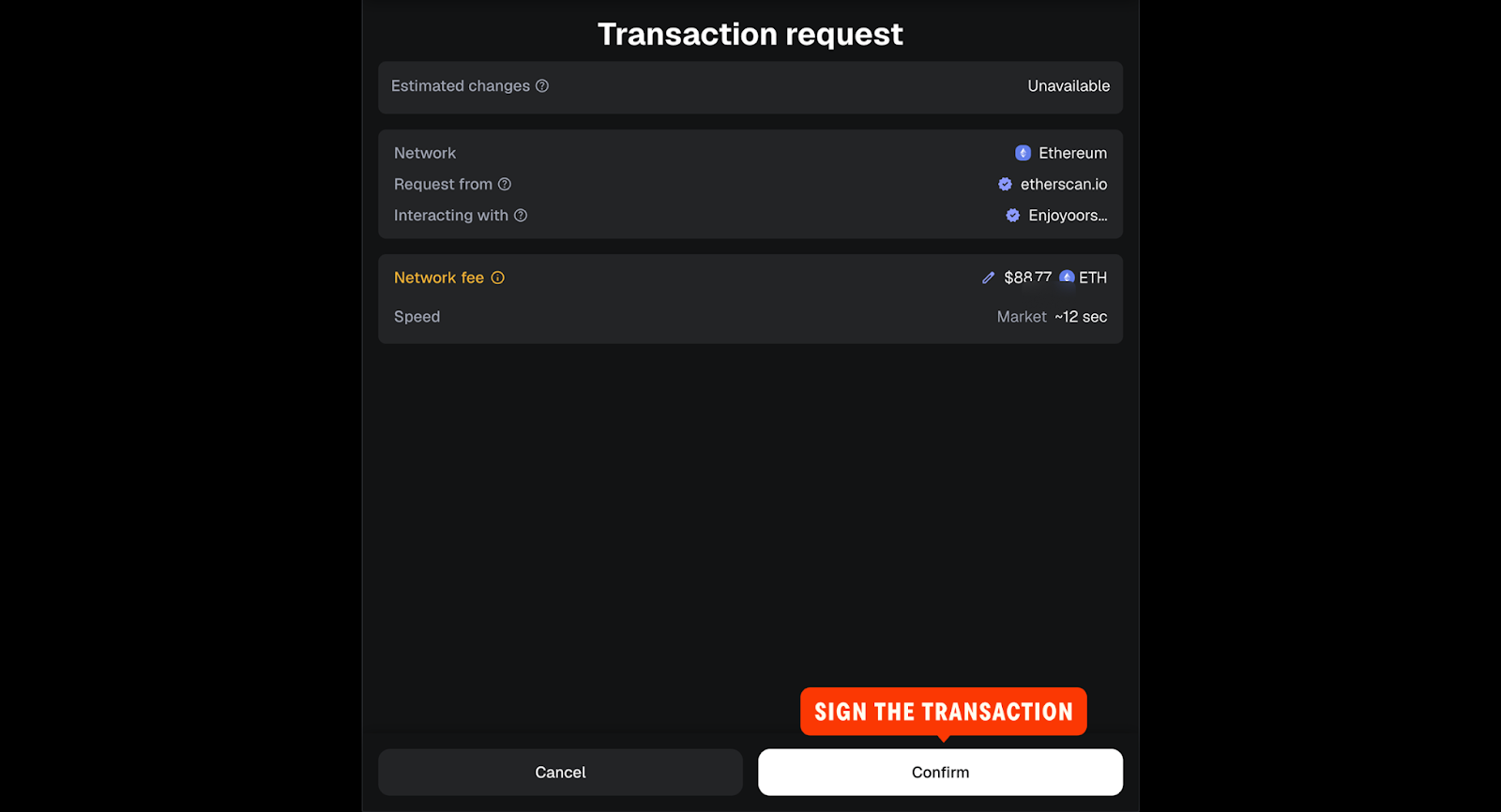
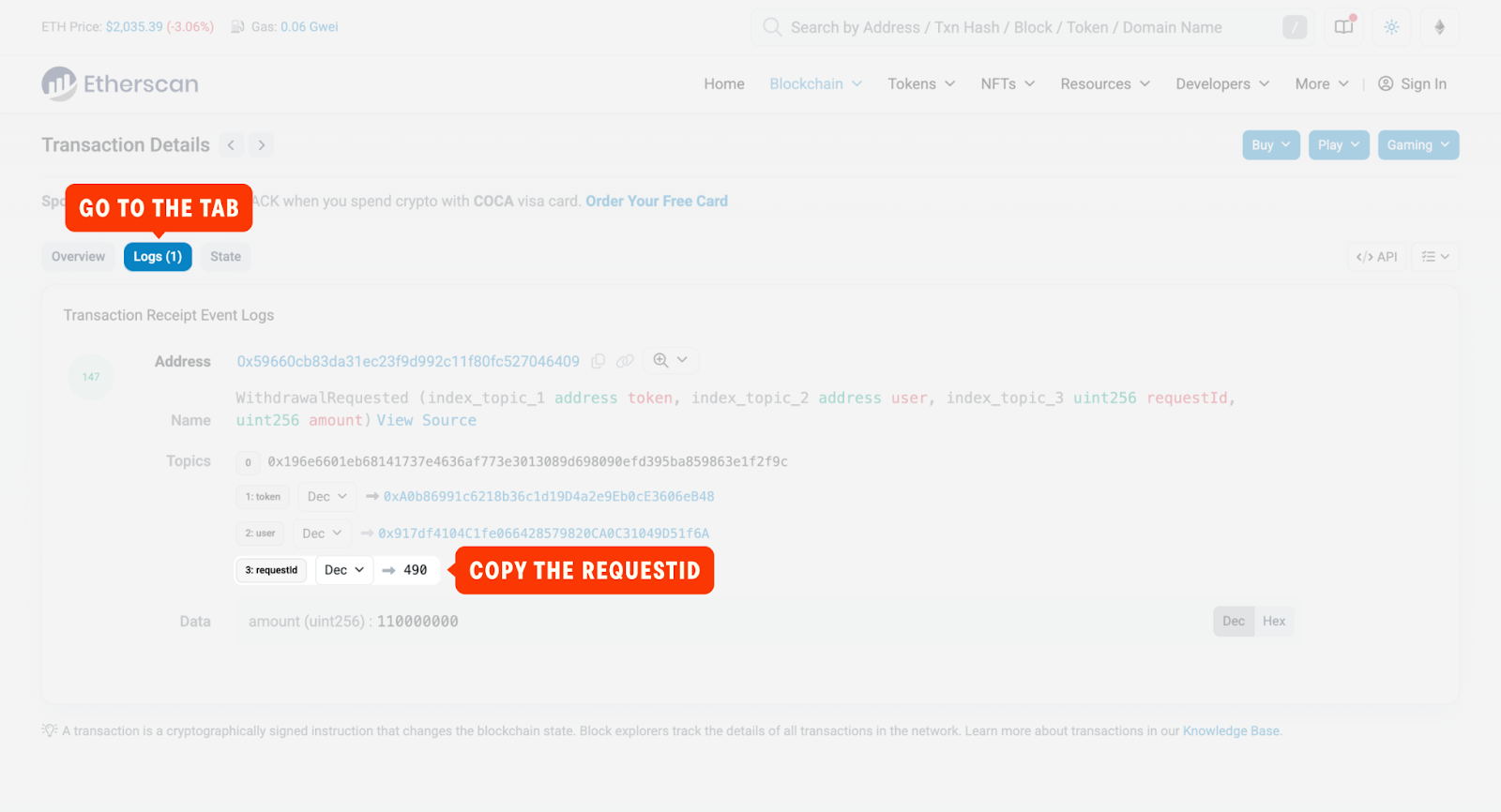
3. Open the submitted transaction and copy the requestId — you will need it for the next step.
4. After 24 hours, you can proceed with the claim. To do this, return to the Vault contract and call the claimWithdrawalmethod, passing requestId and approvedData (can be empty = 0x) as parameters. Click Write and sign the transaction.
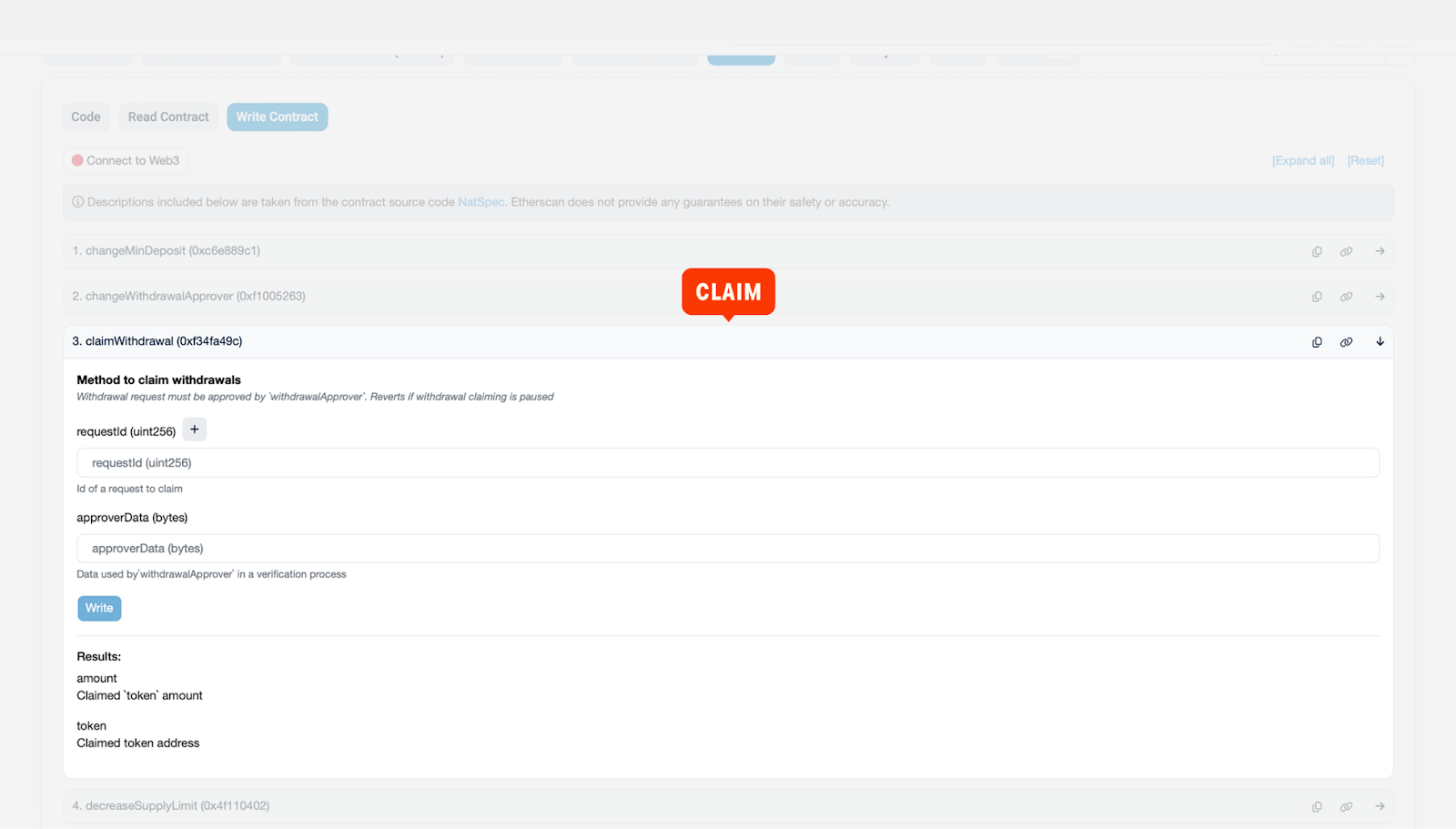
Enjoyoors Vault contracts